
Set up a worksheet once. Reopen it every Monday.
Keep your exact settings, your go-to classroom tools and your class links together in one free account.
Already have an account? Sign in
Keep each student's sheet ready for the next session.
Save a setup at every level, pin your session tools, and reopen any of them in one tap.
Already have an account? Sign in
Save the sheet at your child's level. Print it again in one tap.
Keep the worksheets and games your child uses in one place, ready whenever you are.
Already have an account? Sign in
Plan it once. Reuse it all year.
Save worksheet setups by grade, keep your planner and logs close, and follow Learning Paths step by step.
Already have an account? Sign in
Free, no password: we email you a sign-in link. Every tool still works without an account.
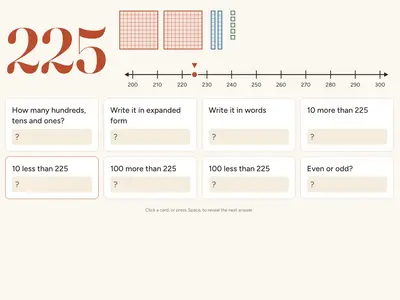
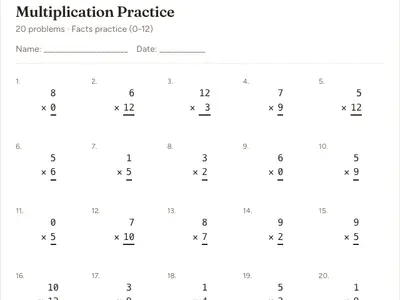
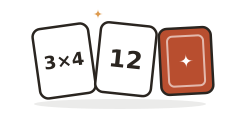
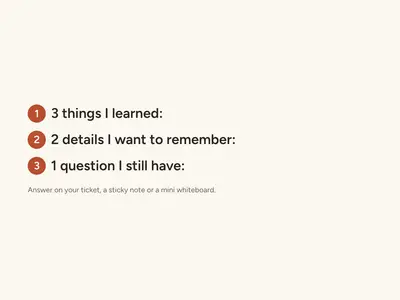
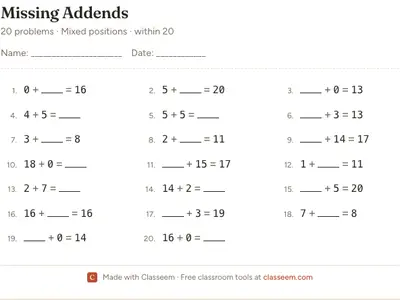
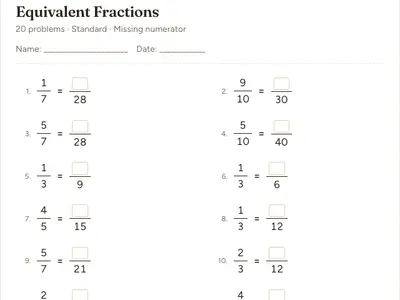
The Today page of a free account. Example lesson built from real Classeem pages.
A week with My Classeem
What the free account does after the first visit, step by step.
Monday
Use any tool. Keep the setup.
Every worksheet, game and tool works without an account. With one, Save keeps a generator's settings, and a new account keeps the setup you print automatically. You can turn that off.
Multiplication Worksheet Generator
ExampleGrade 320 problemsAnswer key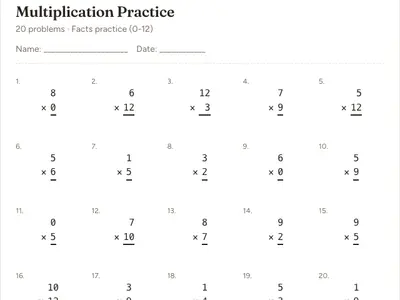 PrintSaveKept in My Classeem
Choose the settings you need, then print.
Tuesday
Send it to your class with one link
Make a class link for a game or a sheet and post it in Google Classroom. You see how many opened it, started and finished, as totals. Students never sign in and are never named.
Next week
Pick up where you left off
Your lesson kits, saved setups and favorite tools wait in one place, on any device you sign in on.
This month
Work through a topic, step by step
A Learning Path lines up sheets and games for one topic. A step is marked done when you print it or finish the game, so you can see what you have used.
Monday
Use any tool. Keep the setup.
Every worksheet, game and tool works without an account. With one, Save keeps a generator's settings, and a new account keeps the setup you print automatically. You can turn that off.
Multiplication Worksheet Generator
ExampleGrade 320 problemsAnswer keyPrintSaveKept in My ClasseemChoose the settings you need, then print.
Tuesday
Send it to your class with one link
Make a class link for a game or a sheet and post it in Google Classroom. You see how many opened it, started and finished, as totals. Students never sign in and are never named.
Next week
Pick up where you left off
Your lesson kits, saved setups and favorite tools wait in one place, on any device you sign in on.
This month
Work through a topic, step by step
A Learning Path lines up sheets and games for one topic. A step is marked done when you print it or finish the game, so you can see what you have used.
Monday
Use any tool. Keep the setup.
Every worksheet, game and tool works without an account. With one, Save keeps the settings at your child's level, and a new account keeps the setup you print automatically. You can turn that off.
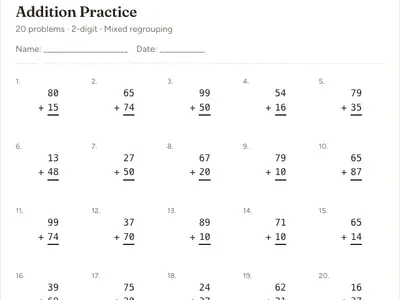
Multiplication Worksheet Generator
ExampleGrade 320 problemsAnswer keyPrintSaveKept in My ClasseemChoose the settings you need, then print.
Tuesday
Keep their favorites one tap away
Star the games and tools your child asks for. They wait on your Saved page, on the phone or the laptop.
Next week
Pick up where you left off
Practice plans, saved setups and favorites wait in one place, on any device you sign in on.
This month
Work through a topic, step by step
A Learning Path lines up sheets and games for one topic. A step is marked done when you print it or finish the game, so you can see what you have used.
Monday
Use any tool. Keep the setup.
Every worksheet, game and tool works without an account. With one, Save keeps the settings at your child's level, and a new account keeps the setup you print automatically. You can turn that off.
Multiplication Worksheet Generator
ExampleGrade 320 problemsAnswer keyPrintSaveKept in My ClasseemChoose the settings you need, then print.
Tuesday
Keep their favorites one tap away
Star the games and tools your child asks for. They wait on your Saved page, on the phone or the laptop.
Next week
Pick up where you left off
Practice plans, saved setups and favorites wait in one place, on any device you sign in on.
This month
Work through a topic, step by step
A Learning Path lines up sheets and games for one topic. A step is marked done when you print it or finish the game, so you can see what you have used.
Free without an account. More useful with one.
Without an account
- Every worksheet, game, calculator and classroom tool
- Printing and PDF downloads
- Sharing any page's link
- No sign-up, nothing to install
With a free account
- Today: your next lesson, ready to open
- Lesson kits you save and reopen
- Saved setups and favorite tools
- Class links with opened, started and finished totals
- Learning Paths that record what you have used
- The same account on every device
Save is on many generators, not all of them yet. Class lists you type stay on your device. Classeem never asks for student names, class rosters, or private classroom content to make an account useful. A saved setup keeps only its options and the name you give it; a word list is stored only when you choose Save list; class lists for the name picker stay on your device. See the Privacy Policy for the full picture.
Signing up takes about a minute
1. Enter your email
We send a one-time sign-in link. There is no password.
2. Open the link
It works on any device and brings you back to the page you were on.
3. Two quick questions, or skip
Your role and grade make the Today page fit. Both are optional.
No credit card. You can delete the account from its settings at any time.
Good to know
A free, optional account on top of Classeem. It adds a personal space, on any device you sign in on, where you plan lessons as kits, share pages with class links and see what happened, and keep saved setups, word lists, favorite tools, Learning Path progress and recent activity.
No. Every worksheet generator, calculator, classroom tool, and game works fully without signing up. An account only adds the memory and organization layer on top.
Yes. No credit card, no trial period, no hidden tier. Creating an account costs nothing and there's nothing to upgrade to.
What you choose to keep, plus a record of use: lesson kits (the pages, minutes and name), class links (the page and totals per link), setups you save (a generator's options and the name you give it), word lists you save with Save list, favorite tools, Learning Path progress and which tools you've used. Names, scores and answers you type into a tool are not saved, and a word list is saved only when you press Save list. The Privacy Policy has the full breakdown.
Each path is a hand-picked sequence of existing Classeem tools and games for one topic. Steps mark themselves complete automatically as you genuinely use each tool: print a worksheet, download a PDF, or actually finish a game. Opening a tool never counts on its own.
Check your spam or junk folder first. It sometimes lands there on the first email from a new sender. If it's been more than a couple of minutes, use the Resend link button on the check-your-email screen.
Yes, anytime, from Account settings. Deleting your account permanently removes your profile, lesson kits, class links, Library, favorites, Learning Path progress and full activity history from Classeem's database. Limited copies can persist for a short time in our service providers' routine backups and logs until they expire.
Not yet. My Classeem is an account for the adult running the classroom, tutoring session, or homeschool (a teacher, tutor, or parent), not a student account. It doesn't ask for or store student names or rosters.
Open Account settings anytime and update "How do you mainly use Classeem?" It only affects which Quick Actions and suggestions you see, nothing else.
Your next visit can start where this one ends.
Free, optional, and every tool keeps working whether you sign up or not.