
Hundreds Chart Generator
Make a printable hundreds chart in seconds. Choose 1 to 100 or a 1 to 120 chart, then pick a filled chart for reference, a blank chart to fill in, or a missing numbers chart with an answer key. Highlight counting by 2s, 5s, 10s, or 3s, then print or download a clean PDF. Free, no sign-up.
This free hundreds chart generator makes a printable 100 chart or 120 chart online, right in your browser. Choose a filled chart for reference, a blank chart to fill in, or a missing-numbers chart with an answer key, then highlight skip-counting by 2s, 5s, 10s, or 3s and download a clean PDF. A flexible number chart generator with no login.
How to use the hundreds chart generator
- 1Choose the range, 1 to 100 or 1 to 120, and a chart type.
- 2Pick a highlight pattern and, for missing-number charts, how many numbers to remove.
- 3Turn on a title, a name and date line, or the answer key if you want them.
- 4Print the chart, or download a branded PDF.
When this is useful
Printable hundreds chart for the wall or desk
Print a filled chart students can keep at their desk or use as a classroom reference.
Skip counting and number patterns
Highlight 2s, 5s, or 10s so students can see counting patterns across the chart.
Number sense and place value review
Use the chart to talk about tens and ones, more and less, and the structure of numbers.
Fill-in practice and quick checks
Blank and missing-number charts make fast practice for centers, homework, or a warm-up.
Small group and intervention
Light missing-number charts give early learners gentle practice that stays encouraging.
Substitute and early-finisher packets
Print a few charts ahead of time for sub folders, fast finishers, or a counting station.
Examples to try
Filled 1–100 hundreds chart
The classic reference chart with every number from 1 to 100 in a clean grid.
Blank chart to fill in
Empty cells for students to write every number, with an answer key for you.
Missing numbers chart
Some numbers removed for practice, plus an answer key listing exactly what was taken out.
1–120 chart
Switch the range to 1 to 120 for a slightly larger chart used in many classrooms.
Count by 5s or 10s
Turn on a highlight pattern to shade multiples of 5 or 10 for skip-counting practice.
Printable answer key
Blank and missing-number charts can include a matching answer key on its own page.
Tips for better results
Start with a filled chart for reference
A complete chart is a great anchor before moving on to blank or missing-number practice.
Use blank charts for stronger practice
When students are ready, a blank chart asks them to build the whole sequence themselves.
Use missing-number charts for quick review
Light or standard missing charts give fast, low-stress practice that is easy to check.
Highlight 5s and 10s for skip counting
Shading multiples makes counting patterns visible and supports early multiplication.
Print on cardstock or use dry erase pockets
Sturdy or reusable charts hold up to daily use and let students practice again and again.
Keep the answer key on its own page
The PDF puts the key on a separate page, so it is easy to keep it apart from student copies.
How the hundreds chart generator works
You choose a range and a chart type, and the generator lays out a tidy ten-column grid: ten rows for a 1 to 100 chart and twelve rows for a 1 to 120 chart. A filled chart shows every number, a blank chart leaves each cell empty, and a missing-numbers chart removes a set of numbers for students to recover.
Missing numbers are chosen on your device with a seeded shuffle, so the same settings always give the same chart and Regenerate makes a fresh one. Light, standard, and challenge modes remove more numbers while keeping the chart usable, and the answer key lists exactly the numbers that were taken out. Highlight patterns shade multiples of 2, 5, 10, or 3 in a subtle tint that still prints clearly in grayscale.
Everything is laid out in your browser, so you can print or save as many charts as you like, instantly and for free. Nothing you choose is generated on a server, and the charts themselves are never stored.
Private by design
- No account and no sign-up. Just open it and start.
- Everything runs on your device, which keeps the chart title and settings you choose, along with the charts and answer keys you create private.
- Nothing you create is uploaded. No values, names, scores, or generated content are sent to our servers. If you're signed in, My Classeem's Recent Activity notes which tools you used — never what you did in them.
- If you sign in, Save keeps only this generator's settings in your account (the kind of options you pick above), never what the sheet contains; auto-save, when it's on in your account, keeps the same settings after you print or download.
- We use Google Analytics for anonymous, aggregate measurement: page views and a few usage events, such as a worksheet being printed or a game round starting or finishing (with the mode played). It never receives what you enter — no answers, scores, names, or generated content.
Frequently asked questions
Is the hundreds chart generator free?
Yes, completely free, with no account and no limit on how many charts you make. There's no watermark on the printed chart.
Can I make a hundreds chart online?
Yes. You build the hundreds chart online, right in your browser, then print it or download a PDF. It works as a 100 chart, a 120 chart, or a blank number grid, with no app to install.
Can I print a hundreds chart?
Yes. Use the Print button to send the chart straight to your printer. Only the chart prints, with the answer key on its own page when you've turned it on, and nothing else from the web page.
Can I download a PDF?
Yes. Download a clean PDF built right on your device, with your chosen range, chart type, and highlights, ready to print or share.
Can I make a blank hundreds chart?
Yes. Choose the blank chart type for an empty grid students fill in themselves. You can include an answer key with every number for quick checking.
Can I make a 120 chart?
Yes. Switch the range to 1 to 120 for a ten-by-twelve chart. It works with every chart type and highlight pattern.
Can I make a missing numbers chart?
Yes. The missing-numbers chart removes a set of numbers for students to fill in. Pick light, standard, or challenge practice, and use Regenerate for a fresh set.
Does it include an answer key?
Blank and missing-number charts can include an answer key. A filled chart already shows every number, so it doesn't need one.
Does anything get uploaded or saved?
No. The chart is laid out entirely on your device, and the PDF is created there too, so your title, missing numbers, and answer key are never uploaded or stored on a server. If you sign in, Save (or auto-save, when it's on) keeps only the chart settings in your account.
Helpful supplies for this activity
Optional supplies that can make printed classroom materials easier to reuse, organize, or share.
These Amazon links are affiliate links: as an Amazon Associate we earn from qualifying purchases, at no extra cost to you.
Dry erase pockets
Slide worksheets into reusable sleeves for quick practice and small groups.
Search on AmazonExplore related worksheet hubs
More classroom tools
Number Line Worksheet Generator
Make printable number line worksheets for whole numbers, integers, fractions, and decimals, with an answer key.
Place Value Chart Generator
Make printable place value charts and worksheets for whole numbers and decimals, with an answer key.
Number Patterns Worksheet Generator
Make printable number pattern and skip counting worksheets with missing numbers and an answer key.
Place Value Game
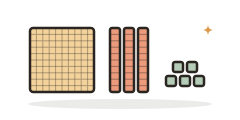
A free place value game: build numbers with base-ten blocks, find a digit's value, or write the expanded form.
Always free · No account needed · Nothing you type leaves your device unless you choose to save it.