
Shapes Worksheet Generator
Make printable shapes worksheets in seconds. Practice naming circles, squares, triangles, rectangles, ovals, diamonds, pentagons, and hexagons, or counting how many sides each one has. Print or download a clean PDF with real vector shapes and a matching answer key. Great for kindergarten and early elementary shape units. Free, no sign-up, and everything stays in your browser.
PDF puts the answer key on its own page.
Shapes Practice
12 problems · Name the shape · Easy (4 shapes)
Name: ______________________ Date: ____________
Answer key
Answer Key · Shapes Practice
12 problems · Name the shape · Easy (4 shapes)
How to use the shapes worksheet generator
- 1Choose a format — name the shape, count the sides, or mixed — and a difficulty.
- 2Pick how many shapes and whether to show a name and date line.
- 3Press Regenerate for a fresh set of shapes anytime.
- 4Print the worksheet, or download a PDF with the answer key on its own page.
When this is useful
Shape recognition
Practice naming circles, squares, triangles, and rectangles — the core kindergarten shape set.
Counting sides
Practice counting how many straight sides a shape has, building toward polygon vocabulary.
A wider shape vocabulary
Move up to ovals, diamonds, pentagons, and hexagons at the standard and challenge levels.
Math centers and warm-ups
Print a set for a shape-sorting center, or hand out a quick warm-up at the start of class.
Homeschool shape units
Build a quick, no-prep shapes worksheet for a kindergarten or early elementary shape unit.
Examples to try
A name-the-shape worksheet
Practice the four core shapes — circle, square, triangle, rectangle — at the easy level.
A count-the-sides worksheet
Practice counting sides on polygons like squares, triangles, and hexagons.
A mixed shapes worksheet
Turn on Mixed so each shape asks either its name or its number of sides.
A challenge-level worksheet
Add pentagons and hexagons once the core shapes are solid.
Tips for better results
Start with the core four
The easy level uses circle, square, triangle, and rectangle — the shapes most kindergarten units start with.
Round shapes never ask for sides
Circles and ovals only ever appear in the "name the shape" question, since they have no straight sides.
Use real vector shapes
Every shape is drawn as clean vector geometry, not a blurry image, so it prints and scales sharply at any size.
Regenerate for different groups
Press Regenerate to make a fresh set with the same settings for another group or retake.
How the shapes worksheet generator works
You choose a format and a difficulty, and the generator picks shapes from a set sized to that level — 4 shapes at easy, up to all 8 at challenge. Every shape is drawn as real vector geometry (not an image), so it stays crisp when printed or scaled.
Round shapes (circle, oval) only ever get a "name the shape" question, since they have no straight sides to count — every polygon question checks against the shape's true, exact side count.
Everything is generated on your device, so you can make as many fresh worksheets as you like, instantly and for free. Press Regenerate for a brand-new set using the same settings.
Private by design
- No account and no sign-up. Just open it and start.
- Everything runs on your device, which keeps the worksheet settings you choose private.
- Nothing you create is uploaded. No values, names, scores, or generated content are sent to our servers. If you're signed in, My Classeem's Recent Activity notes which tools you used — never what you did in them.
- We use Google Analytics for anonymous, aggregate measurement: page views and a few usage events, such as a worksheet being printed or a game round starting or finishing (with the mode played). It never receives what you enter — no answers, scores, names, or generated content.
Frequently asked questions
Is the shapes worksheet generator free?
Yes, completely free, with no account and no limit on how many worksheets you make. There's no watermark on the printed sheet.
Can I print shapes worksheets?
Yes. Use the Print button to send the worksheet straight to your printer.
Can I download a PDF?
Yes. Download a clean PDF built on your device, with the shapes on the first page and, when enabled, an answer key on its own page.
What shapes are included?
Circle, square, triangle, and rectangle at the easy level; oval and diamond join at standard; pentagon and hexagon join at challenge.
Can I make a count-the-sides worksheet?
Yes. Choose the "How many sides?" format. Round shapes like circles and ovals are never used for this question.
Are worksheet settings saved or uploaded anywhere?
No. The worksheet is built entirely on your device, and the PDF is created there too — nothing is ever uploaded or stored on a server.
Helpful supplies for this activity
Optional supplies that can make printed classroom materials easier to reuse, organize, or share.
These Amazon links are affiliate links: as an Amazon Associate we earn from qualifying purchases, at no extra cost to you.
Crayons and colored pencils
Color-code answers, illustrate work, and finish activity pages.
Search on AmazonMore classroom tools
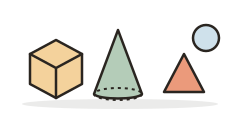
2D and 3D Shapes Game
Flat or solid? Name the shape, then count sides and corners — or faces, edges and vertices on cubes, prisms and pyramids.
Patterns Worksheet Generator
Make printable shape pattern worksheets — AB, AAB, ABB, ABC, and AABB — with a "what comes next" answer key.
Number Bonds Worksheet Generator
Make printable number bond worksheets to 5, 10, 20, or 50 with circles or part-part-whole bars and an answer key.
Hundreds Chart Generator
Make a printable hundreds chart or 120 chart: filled, blank, or missing numbers, with optional skip-counting highlights.
Always free · No account needed · Nothing you type leaves your device unless you choose to save it.