
Symmetry Studio
Play a free symmetry game built around real grid-based reflection, not a single static picture. Complete the Mirror shows half a grid and asks you to fill the other half to match its exact reflection; Find the Symmetry shows four small grids and asks which one is genuinely symmetric. Four levels move from a small 4x4 grid with a vertical mirror up to a bigger 6x6 grid with two colors and subtler puzzles, with no sign-up and nothing saved.
Symmetry Studio generates every puzzle from a grid-reflection engine that guarantees a solvable, exactly-checkable answer: a 'Complete the Mirror' puzzle is graded cell-by-cell against its true reflection, and a 'Find the Symmetry' puzzle's distractors are verified to be genuinely asymmetric before they're ever shown, so there's never more than one correct choice.
Not a test — nothing is saved after you leave.
Ready to find some symmetry?
Complete a mirror image or spot the one truly symmetric shape.
How to use the symmetry studio
- 1Choose a level — it sets the grid size, mirror axis, and color count.
- 2In Complete the Mirror, tap the blank cells to build the exact reflection of the given half, then tap Check.
- 3In Find the Symmetry, tap the one grid out of four that is truly symmetric.
- 4Tap New Round for a freshly generated set of puzzles.
When this is useful
Line symmetry practice
Build real understanding of reflection across a vertical or horizontal mirror line.
Visual reasoning and attention to detail
Find the Symmetry sharpens close visual comparison, since distractors can differ by only one cell.
Grade-aware progression
Start with a small 4x4 grid and one mirror direction, then move up to a bigger grid with two colors.
Classroom geometry warm-up
Display a Find the Symmetry puzzle and have the class vote before revealing the answer.
Hands-on grid interaction
Tapping cells to build a reflection is a more active check of understanding than picking from a multiple-choice picture.
Examples to try
Level 1: 4x4, vertical mirror
A small grid and a single mirror direction for early practice.
Level 3: 6x6 grid
A bigger grid with both vertical and horizontal mirrors in play.
Level 4: two colors
Cells can be one of two colors, and Find the Symmetry's distractors get subtler.
Tips for better results
Find the mirror line first
Every puzzle marks its axis with a dashed line — check what's directly across from each cell before filling it in.
Compare cell by cell in Find the Symmetry
A distractor can differ from a truly symmetric grid by just one cell, so scan methodically rather than at a glance.
Two colors means matching color, not just presence
At Level 4, a reflected cell must match both the position and the exact color of its mirror partner.
Move up once a level feels easy
Higher levels add a bigger grid, both mirror directions, and closer distractors, not just more time pressure.
How the symmetry studio works
Complete the Mirror generates a random pattern on one half of the grid, then checks your filled-in half cell-by-cell against its exact mathematical reflection — never an approximate or 'close enough' match.
Find the Symmetry always builds its correct answer first, then creates each wrong option by changing a small number of cells and re-verifying that the result is genuinely no longer symmetric, so a puzzle can never accidentally have two correct answers.
Levels change the grid size (4x4 or 6x6), which mirror directions are in play, and how many colors a cell can hold — never diagonal symmetry, which stays out of scope so every puzzle remains unambiguous.
Private by design
- No account and no sign-up. Just open it and start.
- Everything runs on your device, which keeps the cells you tap private.
- Nothing you create is uploaded. No values, names, scores, or generated content are sent to our servers. If you're signed in, My Classeem's Recent Activity notes which tools you used — never what you did in them.
- We use Google Analytics for anonymous, aggregate measurement: page views and a few usage events, such as a worksheet being printed or a game round starting or finishing (with the mode played). It never receives what you enter — no answers, scores, names, or generated content.
Frequently asked questions
Is this symmetry game free?
Yes, completely free, with no account and no limit on how many rounds you play. There are no ads.
What's the difference between the two puzzle types?
Complete the Mirror asks you to build the reflection of a given half by tapping cells. Find the Symmetry shows four small grids and asks which one is truly symmetric.
Does it cover diagonal symmetry?
Not yet. This version covers vertical and horizontal mirror lines, which stay clear and unambiguous on a small grid.
Can a puzzle ever have more than one correct answer?
No. Every Find the Symmetry puzzle is checked so exactly one of the four options is genuinely symmetric before it's shown.
Does this use AI?
No. Every grid, reflection, and correctness check runs on plain grid logic in your browser. It does not use AI.
Does the game work well on a tablet or phone?
Yes. Grid cells are sized as large tap targets and the layout adjusts to narrower screens.
Are scores saved?
No. Your score, streak, and session best stay in your browser for the current session and are cleared when you leave the page.
More classroom tools
Shapes Worksheet Generator
Make printable 2D shape worksheets — name the shape or count the sides — with real vector shapes and an answer key.
Patterns Worksheet Generator
Make printable shape pattern worksheets — AB, AAB, ABB, ABC, and AABB — with a "what comes next" answer key.
Pattern Lab
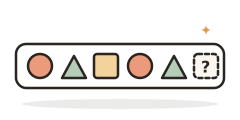
A free pattern game: predict what comes next, fill a missing piece, or name the rule across shapes, colors, sizes, rotations, and numbers.
Always free · No account needed · Nothing you type leaves your device unless you choose to save it.