
Play by Grade: K-6 Learning Games in One Session
Play by Grade turns Classeem's game library into a ready-made practice session: choose a grade from Kindergarten through 6th and start a short, mixed set of existing math, reading, and logic games picked for that grade level. No account or setup is needed, and nothing a child does is kept — scores reset when you leave the page. Just five quick activities in a row and a plain-English recap of what was practiced when the session ends. A free, optional Classeem account only adds teacher extras, such as a class link whose opens and finishes are counted in total.
Play by Grade isn't a new game — it's a grade picker that assembles five short activities from Classeem's existing games into one 10-15 minute session, so a child (or a parent handing over a tablet) can start practicing with a single tap instead of browsing a game list.
How to use the play by grade
- 1Choose a grade, Kindergarten through 6th.
- 2Tap "Start practice" to begin the session.
- 3Play through five short activities, one at a time — no need to choose games yourself.
- 4See a quick recap of what was practiced when the session ends, then start another session or pick a different grade.
When this is useful
Handing a device to a kid with zero setup
A parent or teacher picks the grade once; the child just plays through what comes up.
A short warm-up or transition activity
Five quick activities fit a 10-15 minute block — a morning warm-up, an early-finisher task, or a between-classes filler.
Sampling Classeem's games by grade
New visitors can try a representative mix of games for their child's grade instead of browsing the full games list one by one.
Repeat practice without repeat boredom
Each session pulls a different mix and order from the grade's game pool, so playing again doesn't mean the exact same five activities.
Examples to try
Kindergarten session
A mix of number bonds, pattern recognition, sight words, and phonics — five short, simple activities.
3rd grade session
A rotating pick from math, reading, and logic games scoped to 3rd-grade difficulty settings.
6th grade session
Currently a math-focused review session, reusing Classeem's most advanced verified difficulty settings.
Tips for better results
Use the grade tiles, not guesswork
Each grade's pool and difficulty settings are chosen deliberately — picking the actual grade gets the right challenge level.
It's fine to exit mid-session
There's no penalty or lost progress for leaving early; nothing is saved between sessions anyway.
Play the same grade again for variety
The next session for that grade avoids repeating the exact same five-game lineup where the grade's game pool allows it.
How the play by grade works
Play by Grade doesn't introduce new game mechanics — it launches a short segment of an existing Classeem game (already set to that grade's difficulty) five times in a row, then shows a summary.
Which five games play, and in what order, is chosen from a curated per-grade pool using a seeded, in-browser algorithm: it favors games that grade's pool supports, spreads across subjects (math, reading, logic, geometry, fluency), and avoids repeating the exact same lineup as the last session in that grade.
The end-of-session summary lists what was practiced in plain language. Because the five games measure completely different things, scores are never combined into one fake overall percentage.
Private by design
- No account and no sign-up. Just open it and start.
- Everything runs on your device, which keeps your in-session answers private.
- Nothing you create is uploaded. No values, names, scores, or generated content are sent to our servers. If you're signed in, My Classeem's Recent Activity notes which tools you used — never what you did in them.
- We use Google Analytics for anonymous, aggregate measurement: page views and a few usage events, such as a worksheet being printed or a game round starting or finishing (with the mode played). It never receives what you enter — no answers, scores, names, or generated content.
Frequently asked questions
Is Play by Grade a new game?
No — it's a grade-based session picker that plays short segments of Classeem's existing games back to back, then shows a recap.
Is it free and does it require an account?
Yes, completely free, with no login and nothing installed. A free Classeem account is optional: it lets a teacher save setups, follow Learning Paths and share a class link, and is never needed to play.
How long does a session take?
About 10-15 minutes for five activities, though this varies a little by how quickly a child plays.
Which games are included?
A curated set of Classeem's math, reading, logic, and geometry games — the mix depends on the grade you choose, and grows over time.
Does it save my child's progress or scores?
No. Play by Grade keeps no student profiles and stores no scores or answers — everything in a session resets when you leave the page. If a teacher shares a class link, Classeem only counts how often it was opened and how many sessions were started or finished, never who played.
Why doesn't the summary show one combined score?
The five games measure different skills in different ways, so combining them into a single percentage would be misleading. The summary instead lists what was practiced.
Can I jump straight to a specific grade?
Yes — add `?grade=` and the grade number to the URL (for example, `?grade=3`) to open directly into that grade's start screen.
Does this replace choosing individual games?
No, it's an additional way to start playing. Every game is still available on its own page for open-ended play.
More classroom tools
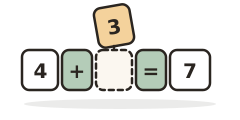
Math Equation Builder
A free math equation builder game: read a word problem, tap the numbers and operator that match it, then type the answer.


Pattern Lab
A free pattern game: predict what comes next, fill a missing piece, or name the rule across shapes, colors, sizes, rotations, and numbers.
Always free · No account needed · Nothing you type leaves your device unless you choose to save it.