
Vocabulary Match Game
Play a free vocabulary match game right in your browser. Flip the cards and match each vocabulary word to its meaning, building word knowledge and reading comprehension. Choose an everyday, school, story, describing, or action word set, or type your own word and meaning pairs, and pick a board size. It's a calm memory game with no sign-up and nothing saved.
New game deals fresh cards. Restart replays the same board.
Match each vocabulary word to its meaning.
Moves: 0 · Matches: 0 / 8
How to use the vocabulary match game
- 1Pick a vocabulary set, or type your own word and meaning pairs.
- 2Choose a board size, then tap a card to flip it and reveal a word or a meaning.
- 3Tap a second card to find the matching word or meaning; matches stay face up.
- 4Match every pair to win, then press New game for a fresh board.
When this is useful
Vocabulary practice
A playful way for students to connect words to their meanings and remember them.
Reading comprehension support
Pre-teach story or topic words so students recognize them while reading.
Reading or language center
Set it up on a class device as a vocabulary center students can play in pairs or solo.
ELL and language support
Matching words to plain-language meanings helps multilingual learners build word knowledge.
Home and tutoring practice
Parents and tutors can review this week's words with no printing and no prep.
Your own word list
Type your unit's vocabulary and meanings to make a custom matching game in seconds.
Examples to try
An everyday vocabulary game
Use the everyday set for common describing and feeling words.
A school vocabulary game
Choose the school set for words like explain, compare, and describe.
A story vocabulary game
Pick the story set for words like character, setting, and theme.
A describing or action words game
Use the describing or action sets to focus on adjectives or verbs.
A custom unit-vocabulary game
Type your own word and meaning pairs to match this week's vocabulary list.
A quick small-board round
Use the small board for a fast review at the end of a lesson.
Tips for better results
Pre-teach before reading
Play with a story or topic set before reading so students meet the words first.
Start with a smaller board
The small board is less to remember, which helps younger or newer learners.
Read words and meanings aloud
Encourage students to say each word and meaning as they flip, so matching builds memory.
Use your own words
Type this unit's vocabulary so the game matches exactly what your class is learning.
Keep meanings short and clear
Plain, short meanings are easier to read on a card and easier to remember.
Pair it with a worksheet
Follow the game with a vocabulary or word bank worksheet for written practice.
How the vocabulary match game works
Each board is built from the vocabulary set you choose, or from pairs you type yourself. The game picks distinct word-and-meaning pairs and makes two cards for each: one showing the word and one showing its meaning. You flip two cards at a time, and a small label tells you whether a flipped card is a word or a meaning.
Matching is tracked by a hidden pair id, not by the text on the card, so the game always knows which word goes with which meaning. Boards are shuffled with a seed, so New game deals a fresh board and Restart replays the same one. The word lists are original, neutral, classroom vocabulary written for this game.
Everything runs on your device. There is no timer, no sound, and no score saving in this version, and any pairs you type stay in your browser, just a calm vocabulary game you can play as many times as you like, for free.
Private by design
- No account and no sign-up. Just open it and start.
- Everything runs on your device, which keeps any custom pairs you type and your progress in the current game private.
- Nothing you create is uploaded. No values, names, scores, or generated content are sent to our servers. If you're signed in, My Classeem's Recent Activity notes which tools you used — never what you did in them.
- We use Google Analytics for anonymous, aggregate measurement: page views and a few usage events, such as a worksheet being printed or a game round starting or finishing (with the mode played). It never receives what you enter — no answers, scores, names, or generated content.
Frequently asked questions
Is the vocabulary match game free?
Yes, completely free, with no account and no limit on how many games you play. There are no ads.
Can students play without an account?
Yes. There is no sign-up and no login. The game opens and plays right in the browser, so students can start immediately.
Can I use custom vocabulary words?
Yes. Choose the custom option and type your own pairs, one per line, as word = meaning (you can also use a dash, a pipe, or a comma). The game builds a matching board from your list, and your words stay in your browser.
Can I use it for reading practice?
Yes. Matching words to meanings builds vocabulary and supports reading comprehension. Pair it with a vocabulary or word bank worksheet for more practice.
Does it work on phones and tablets?
Yes. The board is responsive and the cards are large, tappable buttons, so it works on phones, tablets, laptops, and classroom boards.
Does this use AI?
No. This is a browser-only vocabulary matching game. It does not use AI, and the game runs on your device.
Are scores or custom words saved?
Game settings, progress, and custom vocabulary pairs stay in your browser for the current session. They are not uploaded, saved, or used to track students.
Is there a timer or sound?
No. This version has no timer and no sound, so it stays calm and classroom-friendly. It also respects reduced-motion settings.
More classroom tools
Vocabulary Worksheet Generator
Make printable vocabulary worksheets: write the definition, match, or use the word in a sentence, with an answer key.
Word Bank Generator
Make a printable word bank for writing and vocabulary: word boxes, columns, or categories from your own words.
Matching Worksheet Generator
Make printable matching worksheets: vocabulary, synonyms, antonyms, rhyming, or your own pairs, with an answer key.
Flashcard Maker
Turn a list of terms and definitions into clean, printable flashcards, ready to cut and study.
Sight Words Worksheet Generator
Make printable sight word practice worksheets from a preset or your own word list, ready to print.

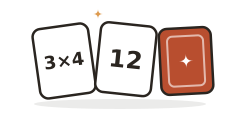
Multiplication Match Game
A free memory game: flip cards and match each multiplication fact to its product.
Math Fact Fluency Game
A free quick-practice game: answer addition, subtraction, multiplication, and division facts one at a time.
Always free · No account needed · Nothing you type leaves your device unless you choose to save it.